
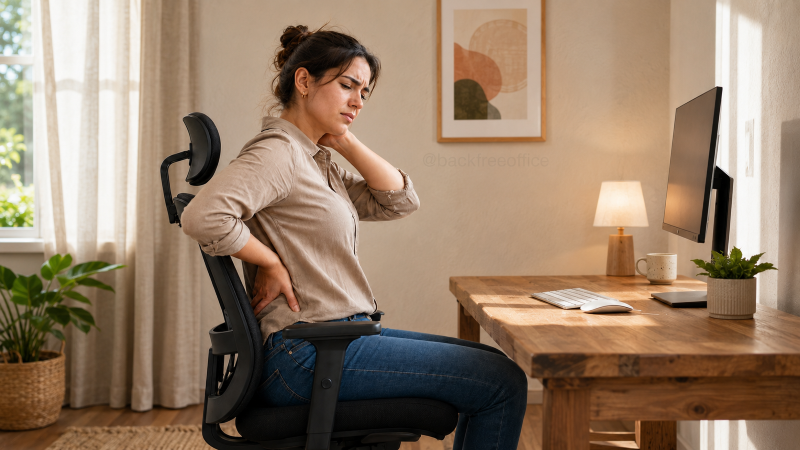
Sitting at a desk all day can leave your neck stiff, shoulders tense, hips tight and lower back uncomfortable. Your hips remain bent, your shoulders may drift forward, and your head can gradually move toward the screen.
Even a well-adjusted workstation cannot eliminate the effects of remaining still for hours. Your body needs regular changes in position to keep your muscles from feeling stiff and fatigued.
The seven desk stretches below let you move without leaving your chair. You do not need a yoga mat, workout clothes or an empty meeting room.
Move slowly and breathe normally. You should feel gentle tension, not sharp pain. Avoid bouncing or forcing any position. Stop if a movement causes pain, dizziness, tingling or numbness.
Mayo Clinic recommends keeping workplace stretches gentle and reducing the movement if you feel pain. These exercises are intended as general movement breaks, not treatment for an injury or medical condition.
1. Seated Cat-Cow Stretch
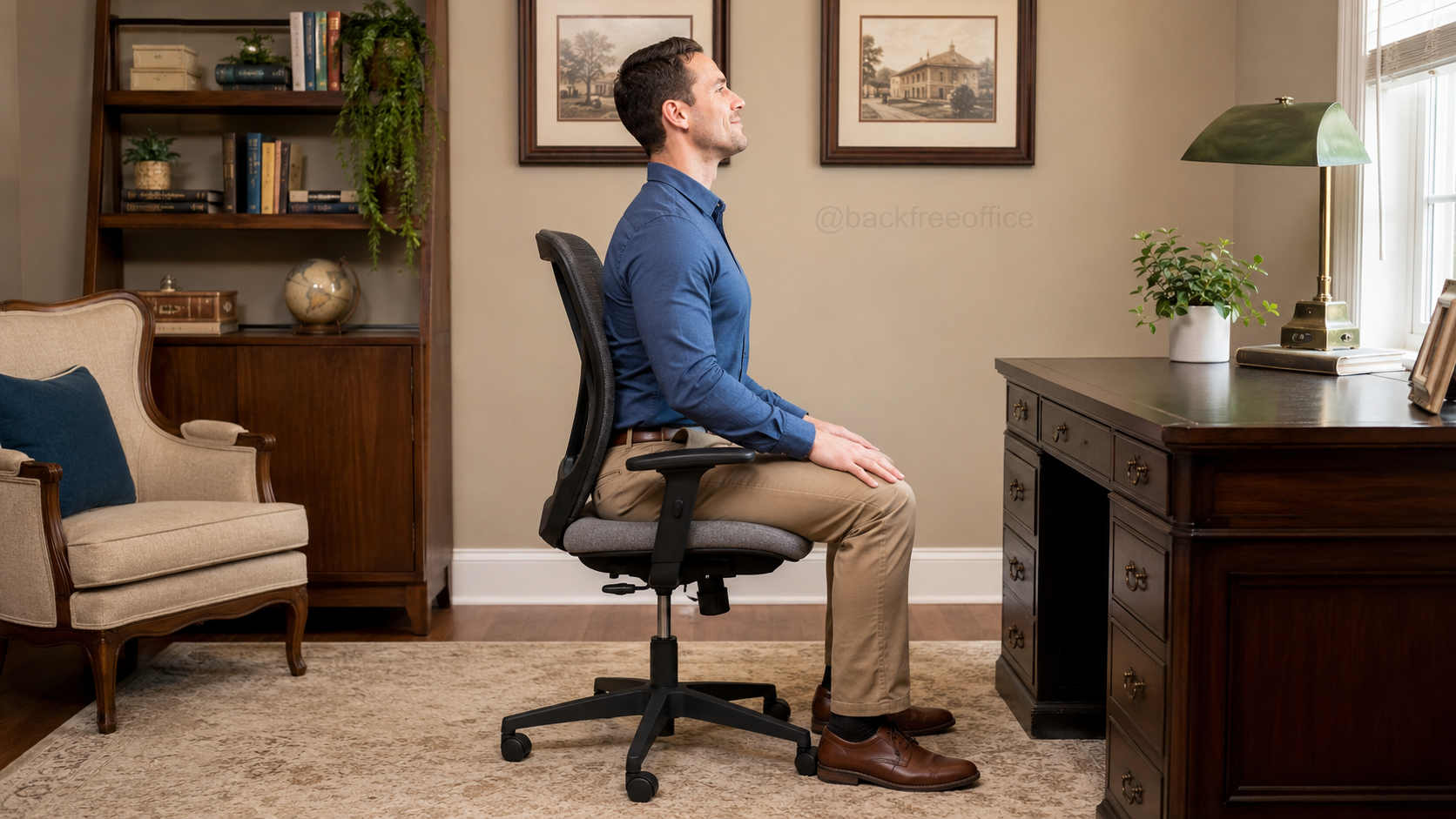
The seated cat-cow moves your spine between a rounded position and a gentle arch. It is useful when your back feels stiff after you have been leaning toward your keyboard or monitor.
Sit near the middle of a stable chair with both feet flat on the floor. Place your hands on your thighs.
For the cow position, gently tilt your pelvis forward. Lift your chest slightly, draw your shoulders back and look straight ahead. Do not force your lower back into a deep arch.
Move into the cat position by tilting your pelvis backward. Round your back, let your chin move slightly toward your chest and allow your shoulder blades to spread apart.
Continue moving slowly between the two positions.
- Muscles targeted: Your spinal muscles, abdominal muscles, chest and muscles surrounding your shoulder blades.
- How long: Hold each position for three to five seconds. Complete five slow repetitions.
- When to do it: Use it after a long meeting, an extended email session or whenever you notice yourself slouching.
If back discomfort returns despite regular movement, review your office-chair setup and lumbar support.
2. Seated Figure-Four Glute Stretch
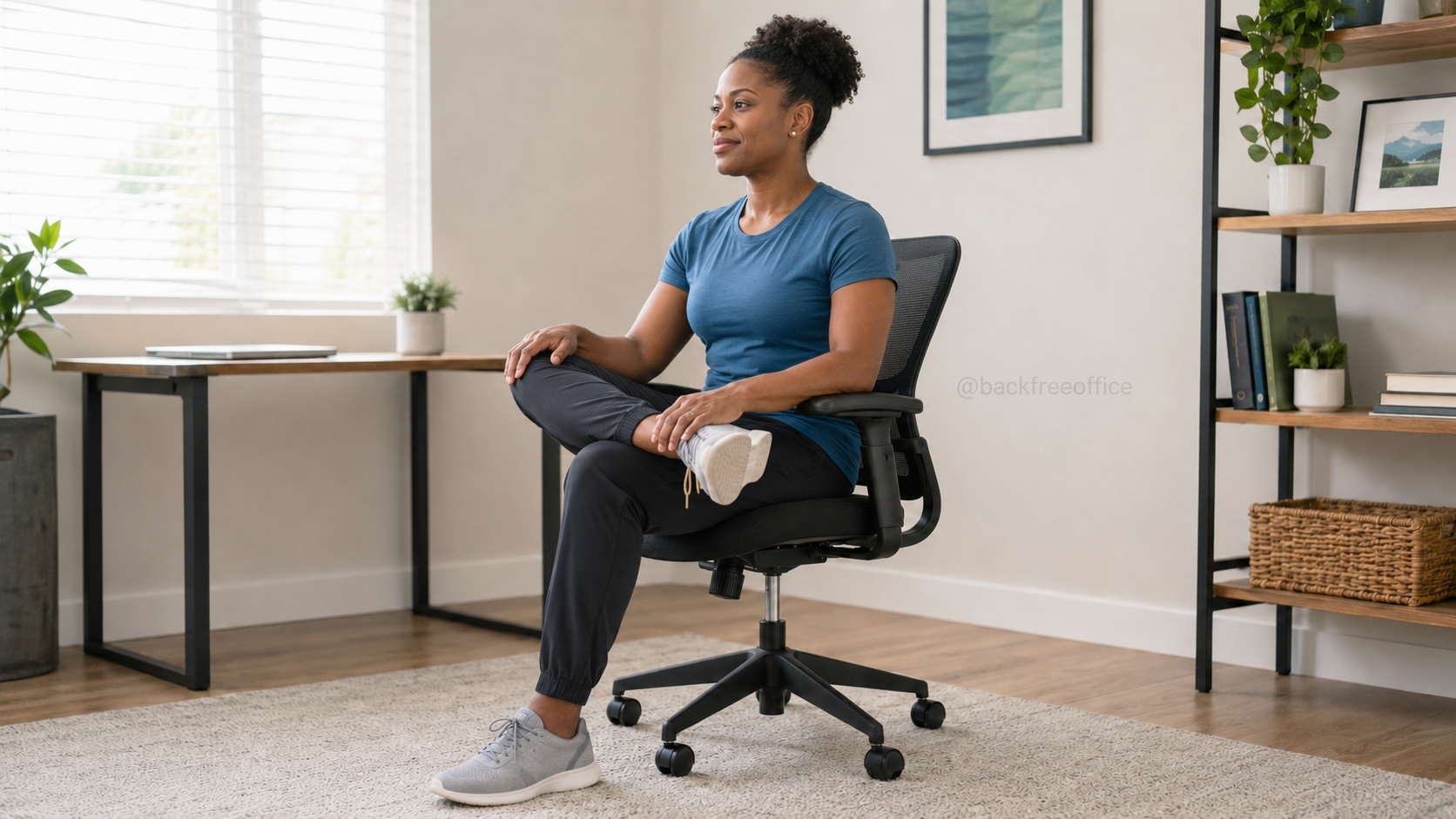
Your glutes and the deeper muscles around your hips can feel tight after your knees and hips have remained bent for several hours.
Sit upright with both feet flat on the floor. Lift your right foot and place your right ankle across your left thigh, just above the knee.
Keep the raised foot gently flexed. Allow your right knee to move outward naturally without pressing it down.
Maintain a long spine and lean forward from your hips. Stop when you feel a comfortable stretch in your right glute and outer hip.
Avoid collapsing your chest or rounding your back aggressively. Return upright and repeat on the other side.
- Muscles targeted: Your gluteal muscles, piriformis and external hip rotators.
- How long: Hold for 20 to 30 seconds on each side.
- When to do it: Try it during a phone call, after lunch or before standing up after a long period of sitting.
3. Seated Neck Retraction
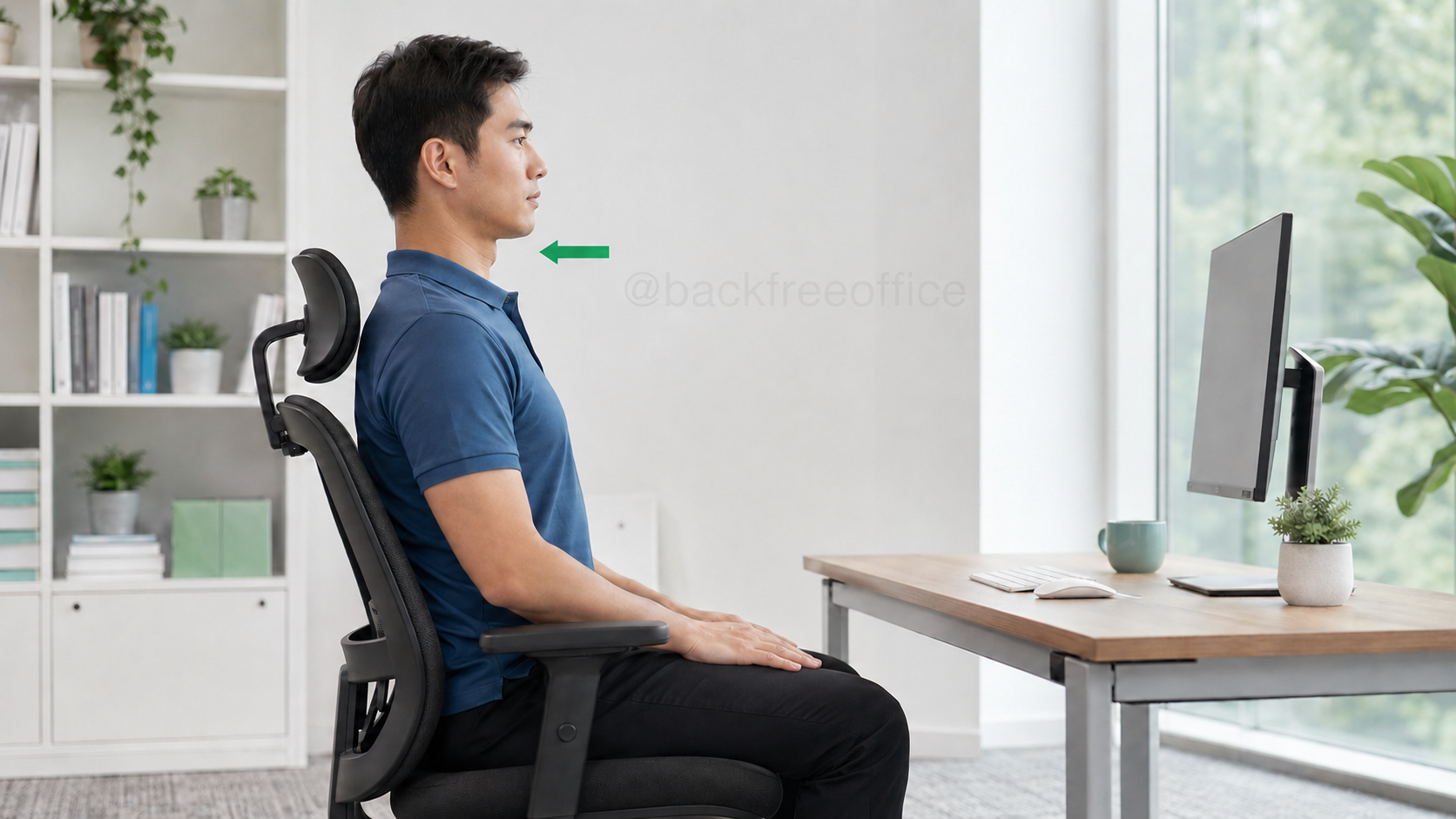
Your head may gradually drift forward when your monitor is too far away or its text is difficult to read. A neck retraction helps you bring your head back over your torso without bending your neck downward.
Sit tall with your shoulders relaxed. Look straight ahead.
Without tilting your head up or down, gently draw your chin directly backward. Imagine that you are making a small double chin.
Keep your eyes level. The back of your head should move horizontally rather than toward the floor.
Release and return to your normal position before repeating.
- Muscles targeted: Your deep neck flexors and the muscles around the back of your neck.
- How long: Hold for three to five seconds. Repeat five to eight times.
- When to do it: Use it after concentrated screen work or whenever you notice your chin moving toward your monitor.
This exercise cannot compensate for a poorly positioned screen. Use the complete ergonomic desk setup checklist to check your monitor height and viewing distance.
4. Seated Thoracic Rotation
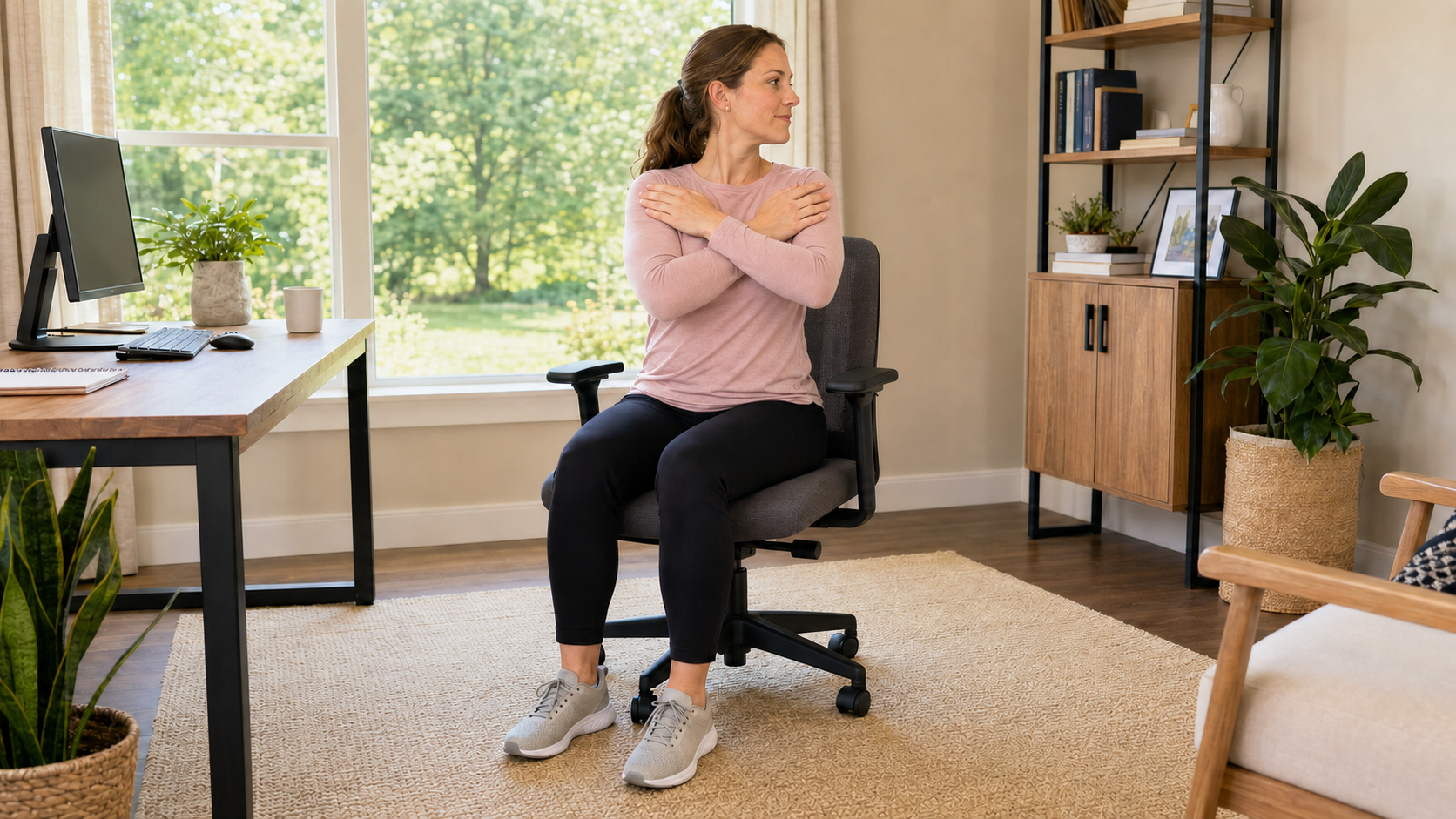
Your thoracic spine is the middle and upper portion of your back. It can become stiff when you spend hours facing directly forward without rotating your torso.
Sit upright with both feet planted firmly on the floor. Cross your arms over your chest or place your hands lightly on your shoulders.
Keep your hips facing forward. Slowly rotate your chest toward the right until you feel a comfortable stretch through your upper back.
Avoid pulling yourself deeper with your arms or forcing the movement through your lower back.
Return to the center and repeat on the left.
- Muscles targeted: Your thoracic spinal muscles, obliques, upper-back muscles and muscles around your ribs.
- How long: Hold for 10 to 15 seconds on each side. Repeat twice.
- When to do it: Perform it after a video call, a focused writing session or any uninterrupted block of computer work.
5. Seated Wrist Flexor Stretch
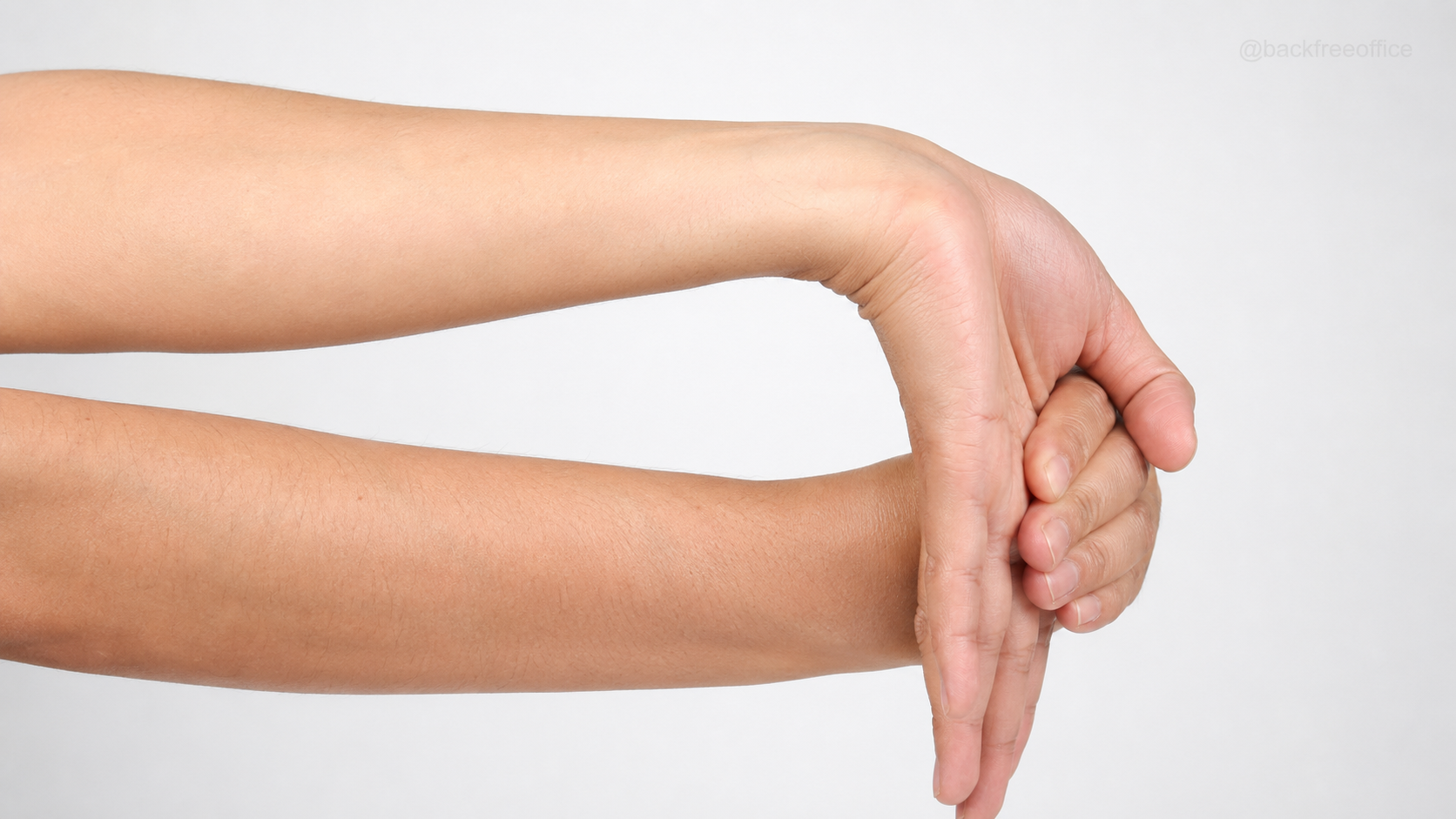
Typing and mouse use require repeated movement from the muscles in your hands and forearms. This stretch gives the muscles along the underside of your forearm a gentle break.
Sit upright and extend your right arm in front of you. Turn your palm upward and keep your elbow straight without locking it.
Use your left hand to guide the fingers of your right hand gently toward the floor. Keep your shoulder relaxed.
You should feel the stretch along the inside of your wrist and forearm. Do not pull aggressively on your fingers.
Release slowly and repeat with your other arm.
- Muscles targeted: Your wrist flexors, finger flexors and inner forearm.
- How long: Hold for 15 to 30 seconds on each side.
- When to do it: Use it after prolonged typing, detailed mouse work or repetitive clicking.
Stretching will not correct a keyboard or mouse that continually forces your wrist into an awkward position. Read our guide to wrist pain from typing if your wrists frequently feel uncomfortable.
6. Seated Hamstring Stretch
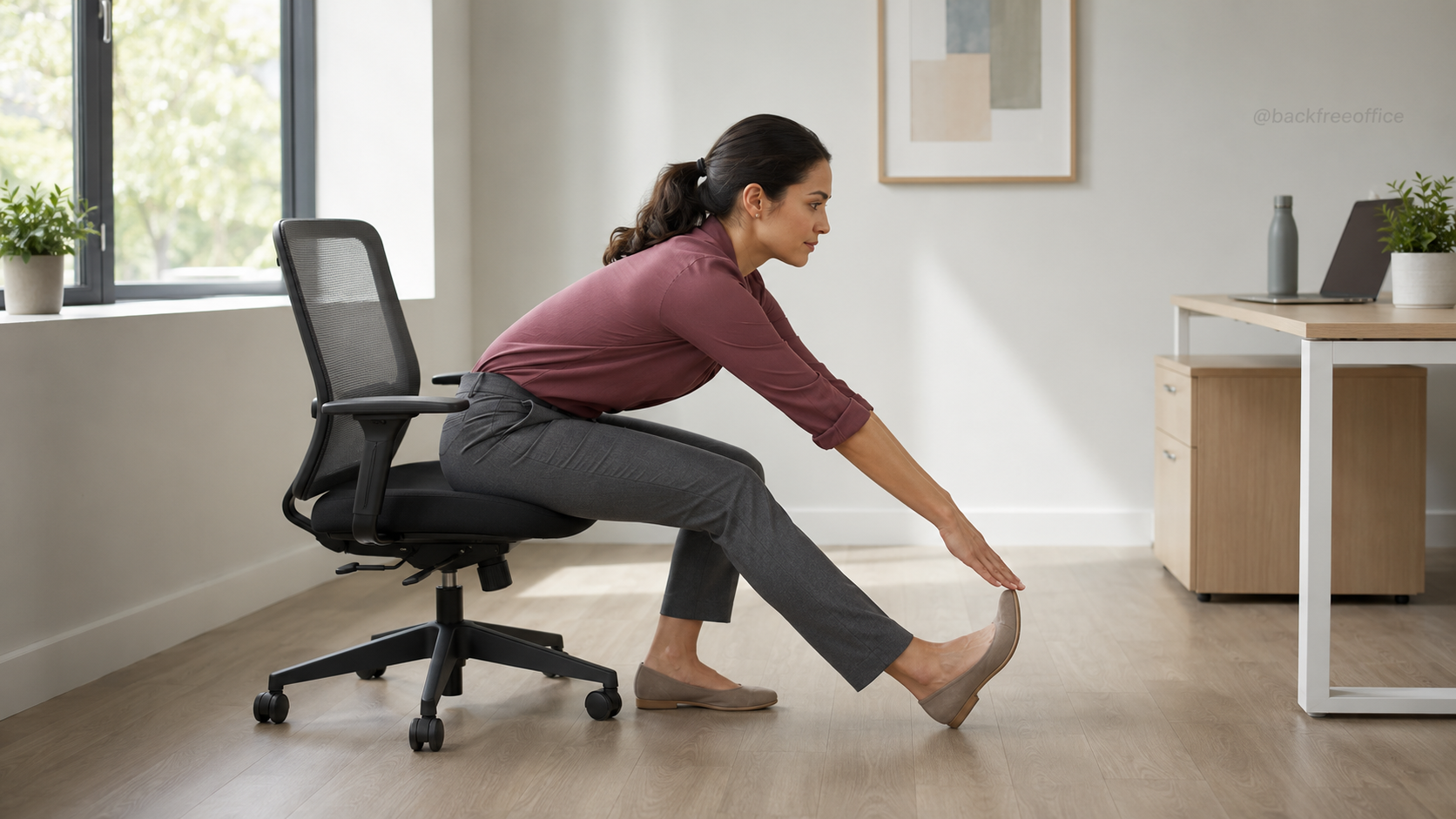
Your hamstrings run along the backs of your thighs. They can feel stiff after your knees have remained bent underneath your chair for an extended period.
Move toward the front of your chair while making sure it is stable. Extend your right leg forward and rest your heel on the floor.
Keep your knee straight but not locked. Point your toes upward.
Place your hands on your left thigh for support. Maintain a relatively straight back and hinge forward gently from your hips.
Stop when you feel mild tension along the back of your extended thigh. You do not need to reach for your toes.
Return upright and repeat with the other leg.
- Muscles targeted: Your hamstrings and, depending on your foot position, your calf.
- How long: Hold for 20 to 30 seconds on each side.
- When to do it: Perform it before standing after a long meeting, during an afternoon break or whenever the backs of your legs feel stiff.
7. Seated Shoulder Blade Squeeze
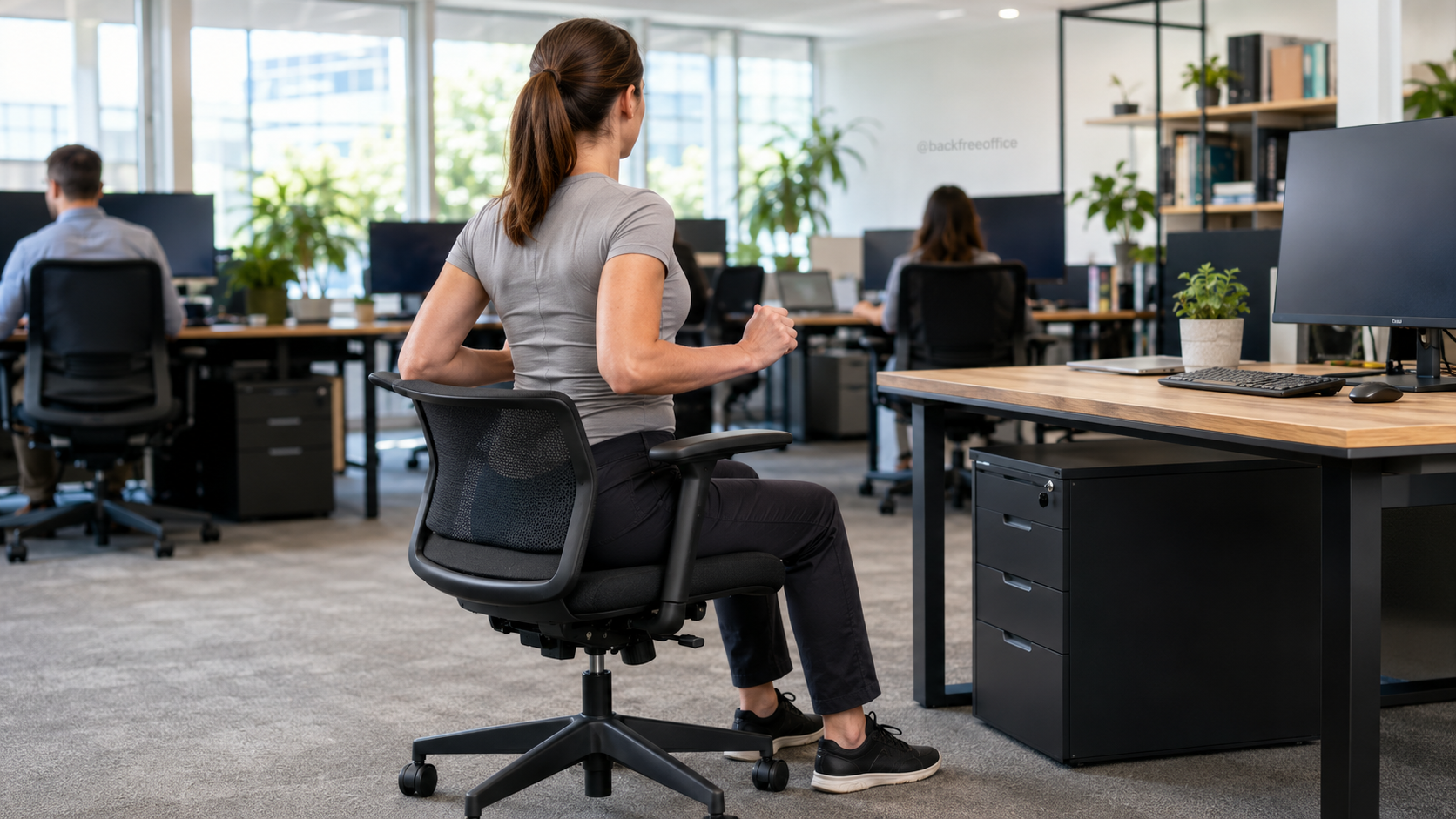
Your shoulders may gradually round forward while you type, read or use a laptop. A shoulder blade squeeze activates the upper-back muscles that help draw your shoulders backward.
Sit tall with your arms relaxed beside you. You can also bend your elbows to approximately 90 degrees.
Allow your shoulders to drop away from your ears. Gently draw your shoulder blades backward and slightly downward.
Imagine that you are trying to hold a pencil between your shoulder blades.
Avoid thrusting your chest forward or arching your lower back. Relax completely before repeating.
- Muscles targeted: Your rhomboids, middle trapezius and other upper-back postural muscles.
- How long: Hold for five seconds. Repeat five to eight times.
- When to do it: Use it after typing, laptop work or whenever you notice your shoulders rounding forward.
Frequently Asked Questions About Desk Stretches
How often should you do desk stretches?
There is no single schedule that suits everyone. A practical starting point is to change position or perform a brief movement every 30 to 60 minutes.
OSHA encourages computer users to take short pauses and change position throughout the day. Even a properly adjusted workstation does not make prolonged static sitting ideal.
Should desk stretches hurt?
No. Mild tension is normal, but sharp pain is a signal to stop. Reduce the range of movement instead of forcing yourself deeper into a stretch.
Seek medical advice if you have persistent pain, weakness, numbness or tingling, or if symptoms interfere with normal activities.
Can seated stretches replace standing and walking?
No. Seated stretches provide useful movement when you cannot leave your chair, but they do not replace standing, walking or regular physical activity.
When possible, combine these stretches with the position changes discussed in our standing desk versus sitting desk guide.
Your 30-Second Stretch Break
When work is busy, use this short routine to interrupt your sitting position:
- Seconds 0–5: Move gently into the seated cat position.
- Seconds 5–10: Move into the seated cow position.
- Seconds 10–15: Perform one neck retraction.
- Seconds 15–20: Squeeze your shoulder blades together.
- Seconds 20–25: Rotate your upper body gently to the right.
- Seconds 25–30: Rotate gently to the left.
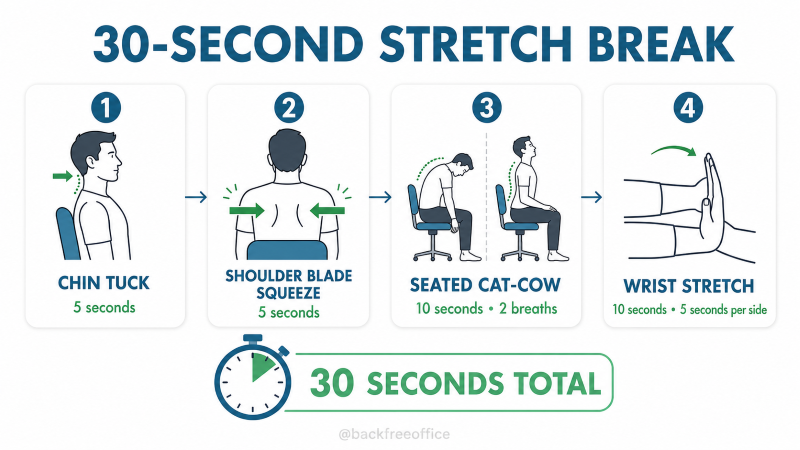
This routine is a quick movement reset, not a replacement for the longer stretches. Use the full holds when your schedule allows.
Set an hourly reminder if you regularly lose track of time. You can also connect your stretch break to an existing habit, such as finishing a meeting, sending a report or taking a drink of water.
You do not need to wait until your body feels uncomfortable. Choose two or three desk stretches that target your tightest areas and perform them consistently throughout your workday.