
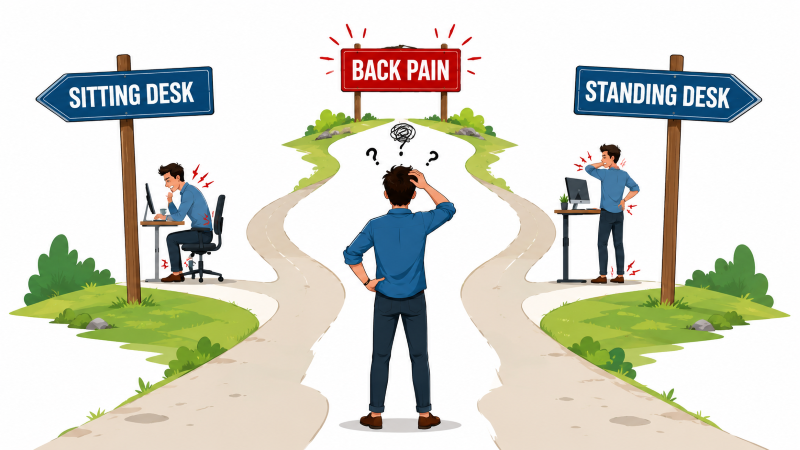
If you are comparing a standing desk vs sitting desk for back pain, the short answer is that neither position is automatically better. A sit-stand desk can make it easier to change posture, but it is not a treatment for back pain and standing all day is not the goal.
Low-back pain is the leading cause of disability worldwide, according to the World Health Organization. For desk workers, a practical response is to reduce long periods in any one position, arrange the workstation comfortably, and add regular movement.
Standing Desk vs Sitting Desk: The Short Answer
Sitting and standing are both normal postures. Problems can arise when either becomes prolonged, static, or poorly supported. A conventional sitting desk may work well when the chair and workstation fit the user and the workday includes movement. A height-adjustable desk adds another supported working position, which can make posture changes easier.
The more useful question is not “Which desk cures back pain?” but “Which setup helps me work comfortably and change position regularly?” OSHA advises computer users to change working positions frequently, make small adjustments, stretch, and periodically stand or walk. See its guidance on good working positions.
Problems With Prolonged Sitting
Long, uninterrupted periods of sitting may contribute to discomfort and muscular fatigue, particularly when the back is unsupported, the feet are not supported, or the screen and keyboard encourage reaching or twisting. However, sitting itself should not be described as inherently damaging.
A supportive sitting setup generally includes:
- Feet supported by the floor or a stable footrest.
- Thighs approximately parallel to the floor, with enough clearance behind the knees.
- The lower back supported by the chair.
- Relaxed shoulders and elbows close to the body.
- A keyboard and mouse positioned to avoid prolonged reaching.
- A monitor positioned so the head can remain balanced over the torso.
Use the ergonomic desk setup checklist to adjust the chair, desk, monitor, keyboard, and mouse together. If the chair itself is uncomfortable, review why an office chair may hurt your back.
Problems With Prolonged Standing
Standing is also a normal posture, but remaining upright in one place for long periods can lead to fatigue and discomfort. The Canadian Centre for Occupational Health and Safety notes that regular prolonged standing can be associated with sore feet, leg swelling, muscular fatigue, low-back pain, and neck or shoulder stiffness. See the full CCOHS standing guidance.
A standing desk should therefore be used as an option for varying posture—not as a reason to stand for an entire shift. Start with short, comfortable standing periods. Sit, move, or adjust the setup if discomfort develops. Supportive footwear or an anti-fatigue mat may improve comfort for some people, but neither is a substitute for movement or a well-fitted workstation.
What the 2026 Sit-Stand Study Found
A randomized trial published in Applied Ergonomics compared two sit-stand recommendations among 56 desk-based workers who already had lower-back pain. Seventy-five percent of the participants were women. One group used a fixed schedule of 30 minutes sitting followed by 15 minutes standing. The other group used a personalized schedule based on preference or anticipated discomfort.
The 2026 sit-stand trial found that the fixed 30:15 schedule produced greater improvements in lower-back pain than the personalized approach. Improvements were also reported for some secondary outcomes, including concentration, stress, and work impairment.
These findings are useful, but they should be interpreted in context. This was a small study of workers with existing lower-back pain, not proof that everyone must follow one schedule. The results support structured posture variation as a practical option; they do not establish 30:15 as a universal medical prescription.
A Practical Sit-Stand Routine
If you have a height-adjustable desk, the 30:15 ratio can be a starting experiment:
- Sit in a supported position for about 30 minutes.
- Raise the desk and stand comfortably for up to 15 minutes.
- Change position sooner if you become uncomfortable.
- Add a short walk, stretch, or non-computer task when practical.
- Review how you feel after several workdays and adjust the routine.
You do not need to follow the timing perfectly. Some people may prefer shorter standing periods or more frequent walking. OSHA recommends variation and brief recovery pauses, including a five-minute break from computer tasks each hour. Its work-process guidance emphasizes changing tasks and avoiding long blocks of uninterrupted computer work.
How to Set Up Both Positions
Sitting position
- Adjust the chair so both feet are supported.
- Use the backrest and lumbar support without forcing one rigid posture.
- Keep shoulders relaxed and elbows close to the body.
- Place the keyboard and mouse within easy reach.
- Position the monitor directly in front of you.
Standing position
- Raise the work surface to approximately elbow height.
- Keep the keyboard and mouse close enough to avoid reaching.
- Stand facing the monitor with relaxed shoulders.
- Place the top of the screen at or slightly below eye level as a starting point.
- Avoid locking the knees or leaning continuously on one side.
- Return to sitting or move around before fatigue builds.
For detailed screen positioning, see how high your monitor should be. If typing causes hand or forearm discomfort, check the guide to wrist pain from typing.
Key Takeaways
| Common claim | More accurate guidance |
|---|---|
| Sitting automatically causes back pain | Prolonged, static, or unsupported sitting may contribute to discomfort. |
| Standing all day fixes back pain | Prolonged standing can also cause fatigue and discomfort. |
| Everyone needs a personalized schedule | A fixed 30:15 schedule helped participants in one small trial, but individual needs vary. |
| Everyone must switch every 45 minutes | No single interval is mandatory; regular variation and movement are the broader goals. |
| A standing desk is the solution | A sit-stand desk is a tool for changing posture, not a treatment for back pain. |
The Bottom Line
For back comfort, the best desk is usually the one that fits the user, supports the task, and permits regular changes in position. A sit-stand desk can help because it makes those changes easier, but a comfortable chair, correct screen and input-device placement, and movement breaks still matter.
Try the 30:15 ratio if it feels practical, then adjust it based on comfort and work demands. Do not push through increasing pain simply to meet a timer.
Safety note: A desk cannot diagnose or treat an underlying condition. Seek medical advice if back pain persists, worsens, or is accompanied by pain, tingling, numbness, or weakness in the legs. Seek immediate medical help for weakness or numbness in both legs, loss of feeling around the genitals or anus, or changes in bladder or bowel control.