
Most people give little thought to their keyboard. You connect the one supplied with the computer and may use it for years.
When you type for hours, however, its shape, height and position affect how your hands meet the keys. A wide, flat design may turn your palms downward and angle your wrists outward; an ergonomic one tries to reduce those angles.
So, in the ergonomic keyboard vs regular keyboard comparison, does the different shape actually matter?
It can. An ergonomic keyboard may make it easier to keep your wrists and forearms in a more neutral position. That does not mean every desk worker needs one, or that changing keyboards will cure wrist or hand pain. A well-positioned regular keyboard may be more comfortable than an ergonomic model used at the wrong height.
I still use a Microsoft Natural Ergonomic Keyboard 4000. Its curved layout, comfortable wrist position and easy-to-press keys are why I have kept it. That experience also taught me that a keyboard cannot be judged separately from the chair, desk and mouse.
This guide explains the real differences, what the research supports and how to decide which design suits your desk and typing habits.
Quick verdict: An ergonomic keyboard may improve wrist and forearm positioning, but a regular model remains reasonable when it fits your body and setup. Choose the design that improves your position—not the label.
What Is a Regular Keyboard?
A regular keyboard normally uses one straight, rectangular block of keys. The letter keys, navigation section and number pad all sit in fixed positions.
Its main advantages are familiarity, broad availability and generally lower prices. A full-size model is also convenient for spreadsheets and numerical work.
A regular keyboard is not automatically harmful. If it is slim, positioned close to you and placed at an appropriate height, you may be able to type while keeping your shoulders relaxed and your wrists approximately in line with your forearms.
Problems are more likely when the keyboard is too high, too far away or heavily tilted. A full-size model may also push the mouse farther to the side. That is why the complete workstation matters more than the label.
What Is an Ergonomic Keyboard?
An ergonomic keyboard changes the conventional shape or key arrangement to support a less constrained position. The term covers several designs.
Curved or fixed-split keyboards
These divide the letter keys into two angled groups in one housing. They may reduce sideways wrist bending and are usually easier to learn than two separate pieces. The Microsoft Natural Ergonomic Keyboard 4000 is an example.
Fully split keyboards
A fully split keyboard separates the left and right sections, letting you control their distance and angle. It offers more adjustment but can require more space and a steeper learning curve.
Tented keyboards
Tenting raises the inner edges so your palms can face slightly inward. It may reduce forearm pronation, but more is not automatically better; the angle must suit you.
Compact ergonomic keyboards
Compact models remove the number pad or shrink the navigation section, allowing the mouse to sit closer.
Ergonomic Keyboard vs Regular Keyboard: The Main Differences
| Factor | Regular keyboard | Ergonomic keyboard |
|---|---|---|
| Hand position | Hands meet one straight key block | Key groups may follow a more natural hand angle |
| Wrist deviation | May encourage wrists to angle outward | Split layout may reduce sideways wrist bending |
| Forearm rotation | Usually requires palms to face downward | Tented designs may let palms face slightly inward |
| Familiarity | Immediate for most users | Often requires an adjustment period |
| Desk space | Compact models use little space; full-size models can be wide | Curved and fully split models may require more depth or width |
| Mouse reach | A number pad can push the mouse outward | Compact ergonomic models can shorten mouse reach |
| Portability | Easy to replace and use elsewhere | Larger or split models are less convenient to transport |
| Price | Available at almost every price | Generally more expensive, particularly adjustable split models |
| Customization | Usually limited | Split distance, angle and tenting may be adjustable |
The important difference is not appearance. It is whether the design helps your hands, wrists, forearms and shoulders approach the keys with less unnecessary tension.
Why Keyboard Position Affects Your Wrists and Forearms
Three movements are especially relevant when you type.
Wrist extension
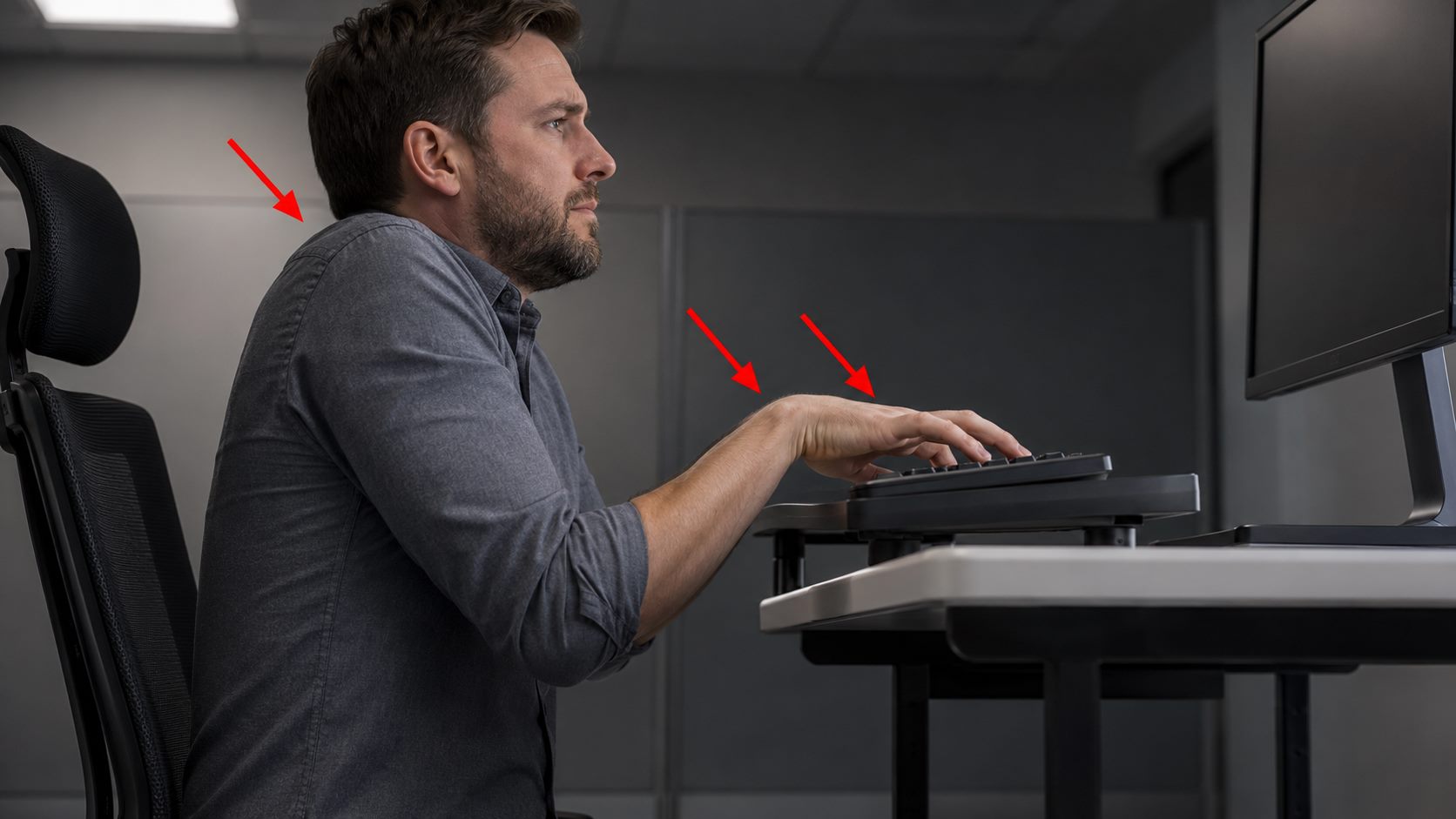
Wrist extension means bending the hands upward. It commonly happens when the keyboard is too high, the keyboard’s rear feet are raised or a thick keyboard sits on a high desk.
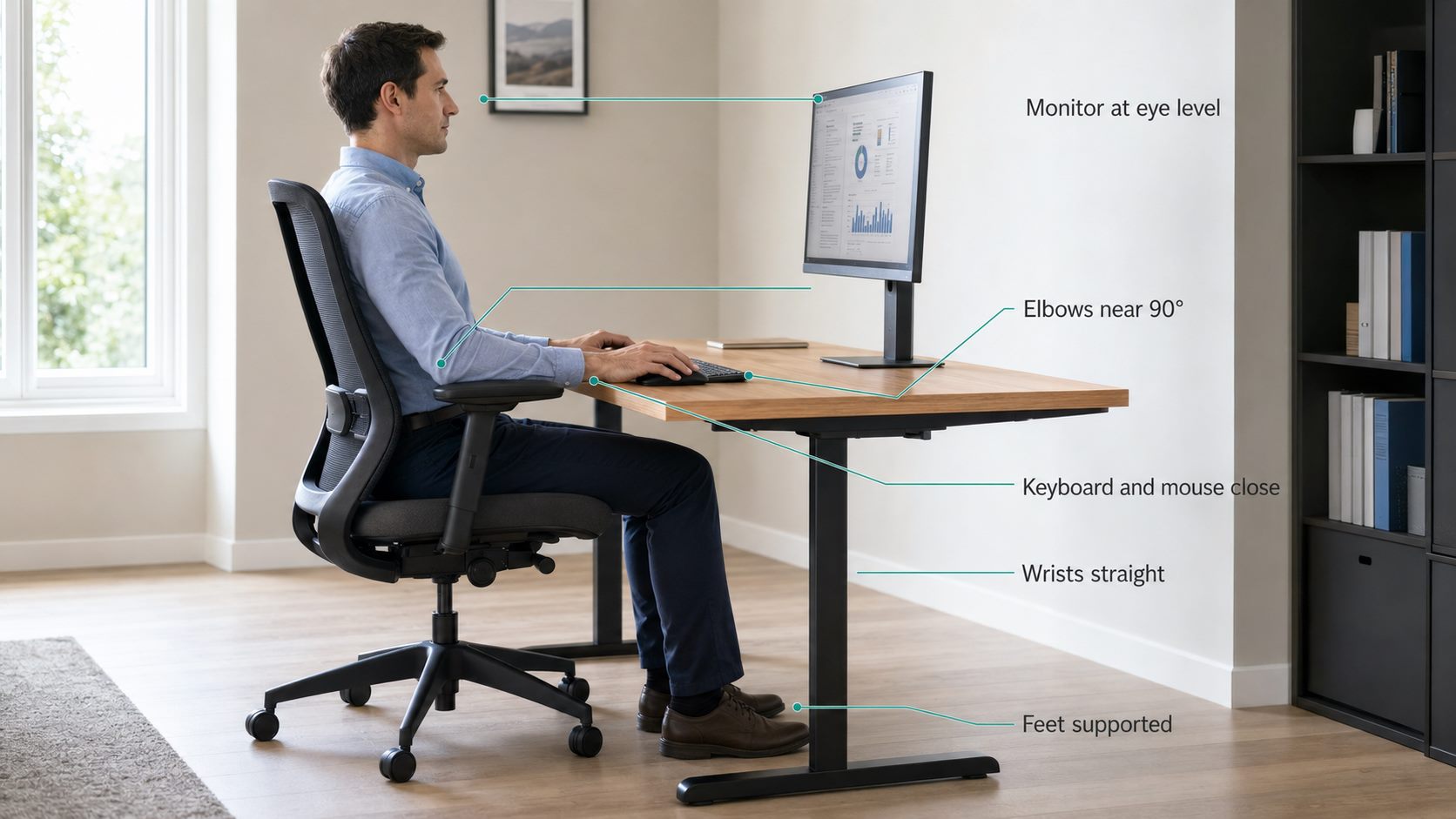
From the side, the back of your hand should remain approximately in line with your forearm. Neutral does not mean rigid; your hands should still move naturally.
Ulnar deviation
Ulnar deviation is the sideways bend toward the little-finger side of the hand. On a straight keyboard, the forearms approach from outside the keyboard while the keys remain arranged in one horizontal line. Some users compensate by angling both wrists outward.
A split layout rotates the key groups toward the incoming forearms, which may reduce this bend.
Forearm pronation
Pronation is the rotation that turns your palms downward. Some rotation is normal and unavoidable when using a keyboard.
A tented design can reduce that rotation, but an excessive angle may exchange one awkward position for another. The aim is not to eliminate movement; it is to avoid holding an uncomfortable extreme for long periods.
Do Ergonomic Keyboards Actually Work?
The evidence supports a careful answer rather than a miracle claim.
Laboratory and workplace studies show that keyboard geometry can change wrist and forearm posture. A study comparing six keyboard designs found meaningful differences in wrist extension, ulnar deviation and forearm pronation between designs. The researchers concluded that design details matter; simply calling a keyboard ergonomic does not guarantee the same result as another alternative keyboard. Read the study on PubMed.
Earlier research also found that split keyboard geometry could reduce forearm pronation, although it did not find a difference in musculoskeletal pain between the keyboards during the study. Read the split-keyboard study.
That distinction is important. Improving an angle measured in a study is not the same as proving that a keyboard prevents an injury or cures an existing condition.
OSHA’s keyboard guidance says alternative keyboards may help users maintain neutral wrist postures, but available research does not conclusively show that they prevent discomfort and injury. OSHA recommends considering them case by case and allowing time for users to adapt.
In practical terms, an ergonomic keyboard can be a useful positioning tool, but designs differ and individual fit still matters. Persistent symptoms should not be self-diagnosed from keyboard choice.
My Experience With the Microsoft Natural Ergonomic Keyboard 4000
I still use the Microsoft Natural Ergonomic Keyboard 4000 today. I am not presenting this as a comparison test against several models; it is simply the keyboard that remains part of my normal desk setup.
The main reason is comfort. The curved, fixed-split layout places my hands in a position that feels more natural to me than typing on a straight keyboard. I also find the wrist position comfortable, and the keys are easy to press without feeling as though I need to strike them heavily.
It has two curved key groups, an integrated palm rest and a removable front lift. Microsoft describes it as promoting more natural wrist alignment, although the model is now unavailable in its store. See Microsoft’s product page.
My continued use does not prove it is best for everyone. It shows that a curved split keyboard can remain comfortable for long-term work when its shape suits the user.
There are also trade-offs. The Natural Ergonomic Keyboard 4000 is a large, full-size keyboard. That footprint needs sufficient desk depth and can place the mouse farther outward than a compact keyboard would. Its unusual shape may also feel awkward initially if you have typed on flat keyboards for years.
Because it is discontinued, I would not pay an inflated second-hand price solely because I use it. Look for the features that make sense for you instead.
When an Ergonomic Keyboard May Be Worth Trying
Consider trying one when:
- Your wrists angle noticeably outward on a straight keyboard.
- You type for several hours on most working days.
- Your forearms or hands feel tired during long typing sessions.
- You want more control over the spacing and angle between your hands.
- Your full-size keyboard pushes the mouse uncomfortably far away.
Treat it as an option to test—not a guaranteed treatment for hand pain, wrist pain or carpal tunnel syndrome.
When a Regular Keyboard May Be the Better Choice
A regular keyboard remains reasonable when:
- You type comfortably without ongoing symptoms.
- Your wrists remain approximately straight.
- You need a familiar layout for speed-sensitive work.
- Your desk is too small for a large curved or split model.
- You regularly use the number pad.
A compact regular keyboard can sometimes solve more than a bulky ergonomic model by bringing the mouse closer. Before replacing yours, perform the BackFreeOffice ergonomic desk setup checklist. If adjusting its height, distance or tilt fixes the position, you may not need new equipment.
How to Choose the Right Ergonomic Keyboard
Start with the position you want to change
Do not begin with brands. If your wrists bend sideways, consider a curved or split layout. If your palms feel forced flat, mild tenting may help. If the mouse is too far away, consider a compact model.
Check the keyboard’s height
A thick keyboard can cause wrist extension even when its split angle is comfortable. With relaxed shoulders and elbows close, place your fingers over the home row and check whether your hands rise above your forearms.
Consider your typing style
Fully split keyboards suit touch typists. If you cross the centre line or look down frequently, a fixed split may be easier.
Make sure it fits your desk
Measure the available width and depth, including the palm rest and mouse. Keep both devices close. For the other half of the setup, see Ergonomic Mouse vs Regular Mouse: Does It Matter?.
Buy from somewhere with a realistic return policy
Hand size, shoulder width and typing technique vary. Whenever possible, test the keyboard during normal work and buy from a retailer with a suitable return policy.
Setup Mistakes That Can Cancel the Benefits
Raising the rear feet automatically
Rear feet may make the keys easier to see but can also bend your wrists upward. Use the setting that keeps them closest to neutral.
Resting directly on the wrists while typing
A palm rest should support the heel of the hands during pauses. OSHA’s guidance recommends keeping the hands above it while typing and resting the palm—not the wrist—on it during pauses.
Placing the keyboard too far away
Keep the keyboard close enough that your upper arms remain near your torso. Reaching forward can increase shoulder tension.
Ignoring the mouse
A wide ergonomic keyboard may improve typing position but worsen mouse reach. Keep the mouse immediately beside it and consider whether you need an attached number pad.
Typing with excessive force
An ergonomic shape does not correct heavy keystrokes. Let your hands remain relaxed and use only enough pressure to register each key.
If typing already produces hand symptoms, review Hand Pain From Typing: Common Causes and 7 Ergonomic Fixes and Why Your Wrists Hurt When Typing.
The Adjustment Period
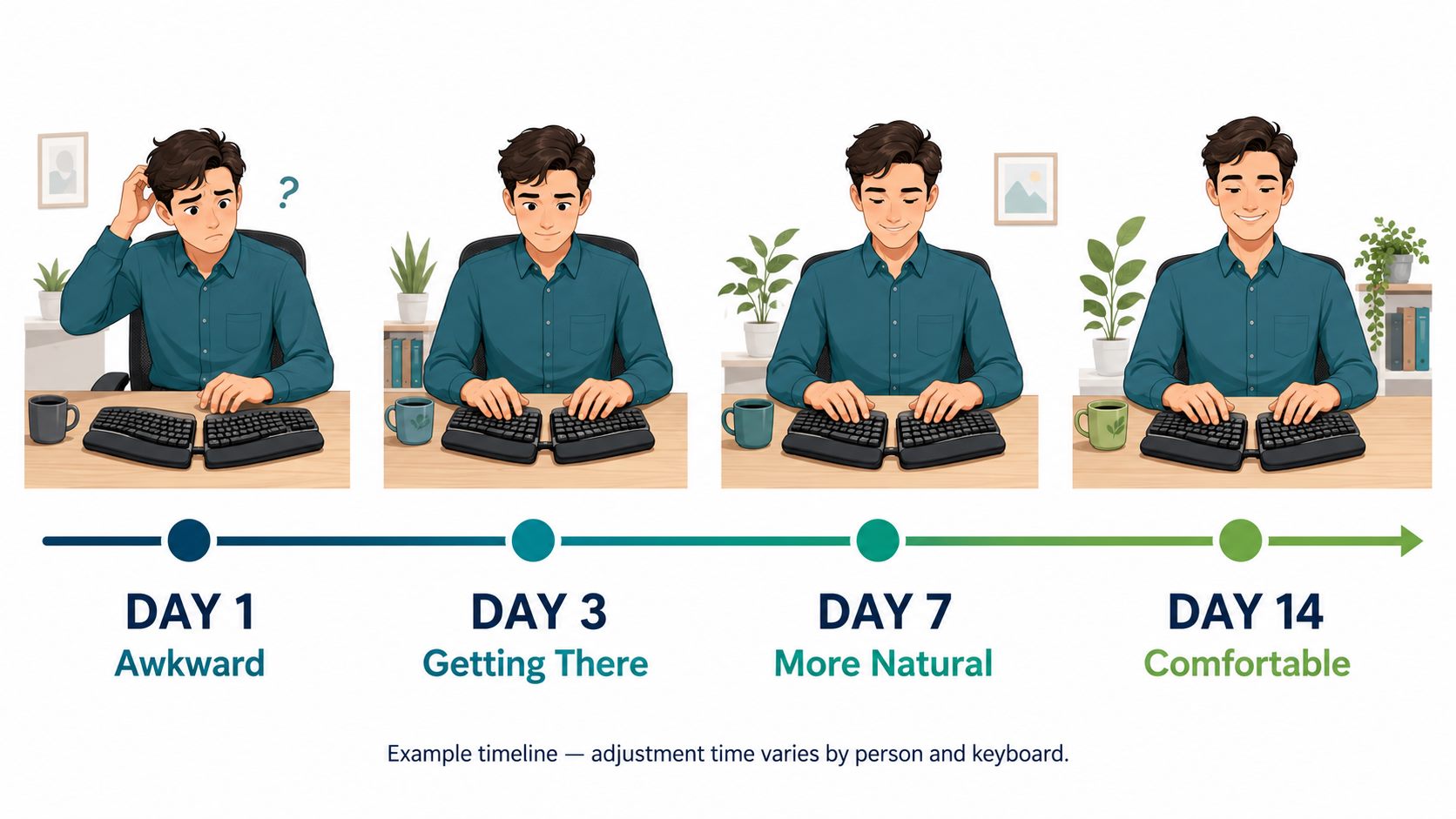
A curved keyboard may require several days before it feels normal. A fully split layout can take longer.
During the transition:
- Start with ordinary, low-pressure work.
- Keep the split or tenting angle moderate.
- Expect some reduction in typing speed.
- Check that you are not raising your shoulders or reaching for keys.
- Increase usage gradually if the position feels comfortable.
Learning awkwardness differs from escalating pain, burning, tingling or numbness. Do not force yourself through worsening symptoms.
Ergonomic Keyboard vs Regular Keyboard: My Practical Verdict
An ergonomic keyboard matters when its design solves a specific positioning problem.
A split layout may reduce sideways wrist bending, tenting may reduce forearm rotation, and a compact design may improve mouse placement. But a model that is too high, large or poorly adjusted may be less comfortable than a correctly placed regular keyboard.
My Microsoft Natural Ergonomic Keyboard 4000 remains comfortable because I like its wrist position, curved layout and easy-to-press keys. Your best choice may differ.
Use this order:
- Adjust your chair and support your feet.
- Bring the keyboard close to your body.
- Set it near elbow height.
- Check your wrists from the side and above.
- Keep the mouse close.
- Only then decide which keyboard shape improves the position.
Key Takeaway
- Regular keyboards are familiar and can be comfortable when positioned correctly.
- Ergonomic keyboards change key angle, split, tenting or width to support different hand and forearm positions.
- Research shows keyboard geometry can change wrist and forearm posture, but it does not prove that every ergonomic keyboard prevents pain or injury.
- Choose a design that addresses a specific problem such as sideways wrist bending, forearm rotation or excessive mouse reach.
- Your chair, desk, keyboard and mouse must work as one coordinated setup.
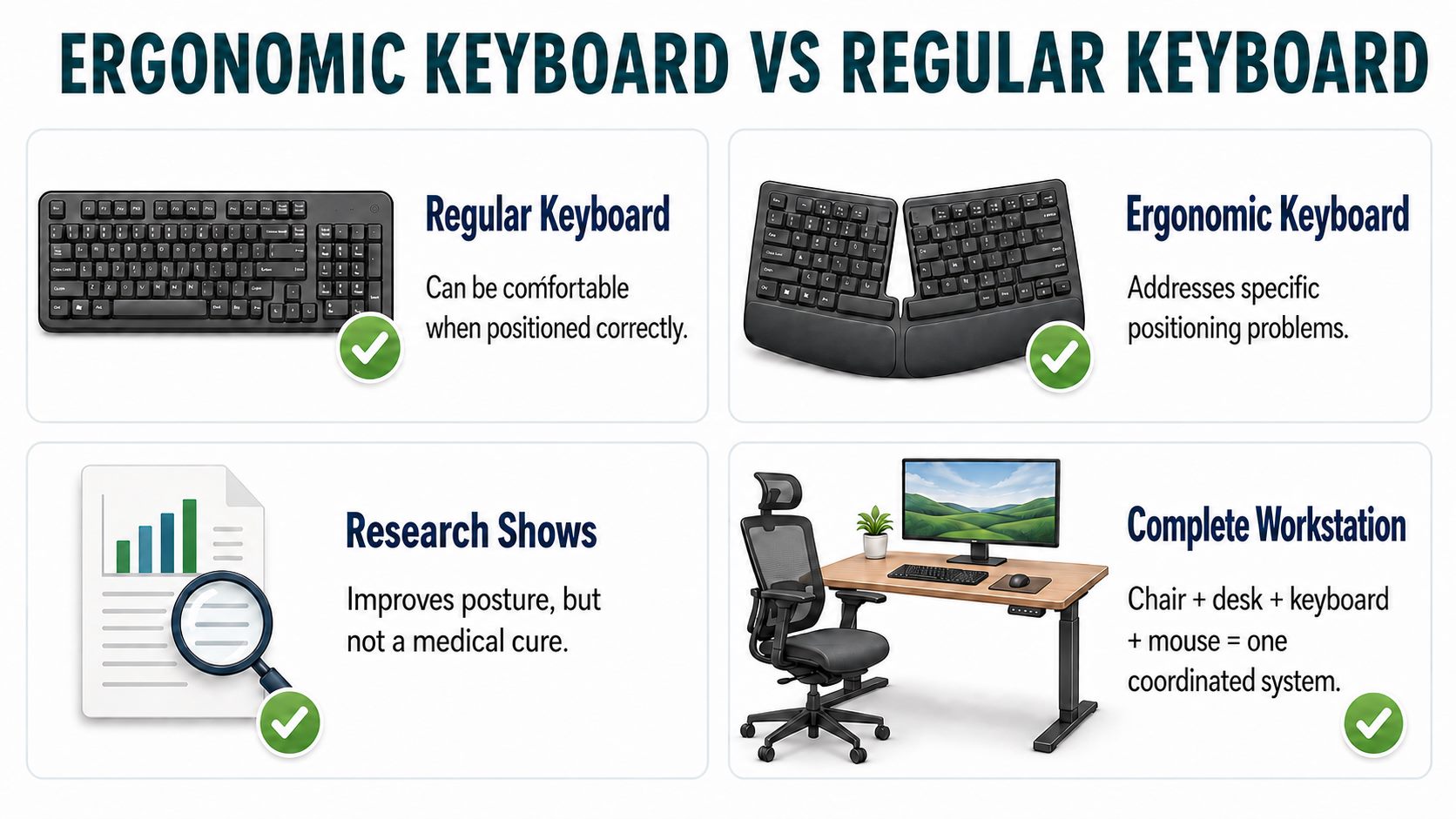 Regular and ergonomic keyboards can both be comfortable when they fit the user and workstation.
Frequently Asked Questions
Is an ergonomic keyboard better than a regular keyboard?
It can be better when its design supports a more neutral position. A regular keyboard may still suit you when it is close, near elbow height and used without excessive wrist bending.
Can an ergonomic keyboard prevent carpal tunnel syndrome?
Research does not establish that alternative keyboards prevent carpal tunnel syndrome. They may improve wrist position, but numbness, tingling or weakness should not be diagnosed or treated through keyboard choice.
Are split keyboards better for wrist pain?
They may reduce sideways wrist deviation by aligning each section with its forearm. Some users find this comfortable; others do not. For persistent pain, evaluate the whole workstation and seek appropriate advice.
How long does it take to adjust to an ergonomic keyboard?
A curved fixed-split model may feel familiar within days; a fully split design can take longer. Start moderately. Worsening pain, numbness or tingling is not a learning requirement.
Should an ergonomic keyboard be flat or tilted?
Use the angle that keeps your wrists closest to neutral. Raising the back often increases wrist extension. Chair height, desk height and anatomy affect the result.
Do I need a wrist rest?
Not necessarily. It may support the heel of your hand during pauses, but should not press into the wrist or push your hands upward while typing.
Is a compact keyboard more ergonomic?
It can be. Removing the number pad brings a right-handed user’s mouse closer. However, compact layouts can hinder frequent number entry and may not suit everyone.
Conclusion
Base the ergonomic keyboard vs regular keyboard decision on the position each creates at your desk—not appearance or marketing. An ergonomic design may help straighten your wrists, reduce forearm rotation or bring the mouse closer. A regular keyboard remains valid when it fits you.
My Microsoft Natural Ergonomic Keyboard 4000 continues to work for me because it is comfortable, supports my preferred wrist position and has easy-to-press keys. That real long-term experience is not a universal prescription.
Before buying, correct the keyboard’s height, distance and tilt. Then compare designs based on the problem that remains.