

Hand pain from typing can turn an ordinary workday into a cycle of aching, stiffness, tingling, or burning. It may be tempting to blame the keyboard alone, but hand discomfort is a symptom rather than a diagnosis. Your workstation, typing technique, workload, an old injury, joint irritation, tendon problems, or nerve compression can all play a part.
The good news is that small ergonomic changes often reduce unnecessary strain. This guide explains what different symptoms may mean, how to improve your keyboard and mouse setup, and when it is safer to seek medical advice.
This article is for general education and is not a substitute for diagnosis or treatment from a qualified healthcare professional.
Why Your Hand May Hurt While Typing
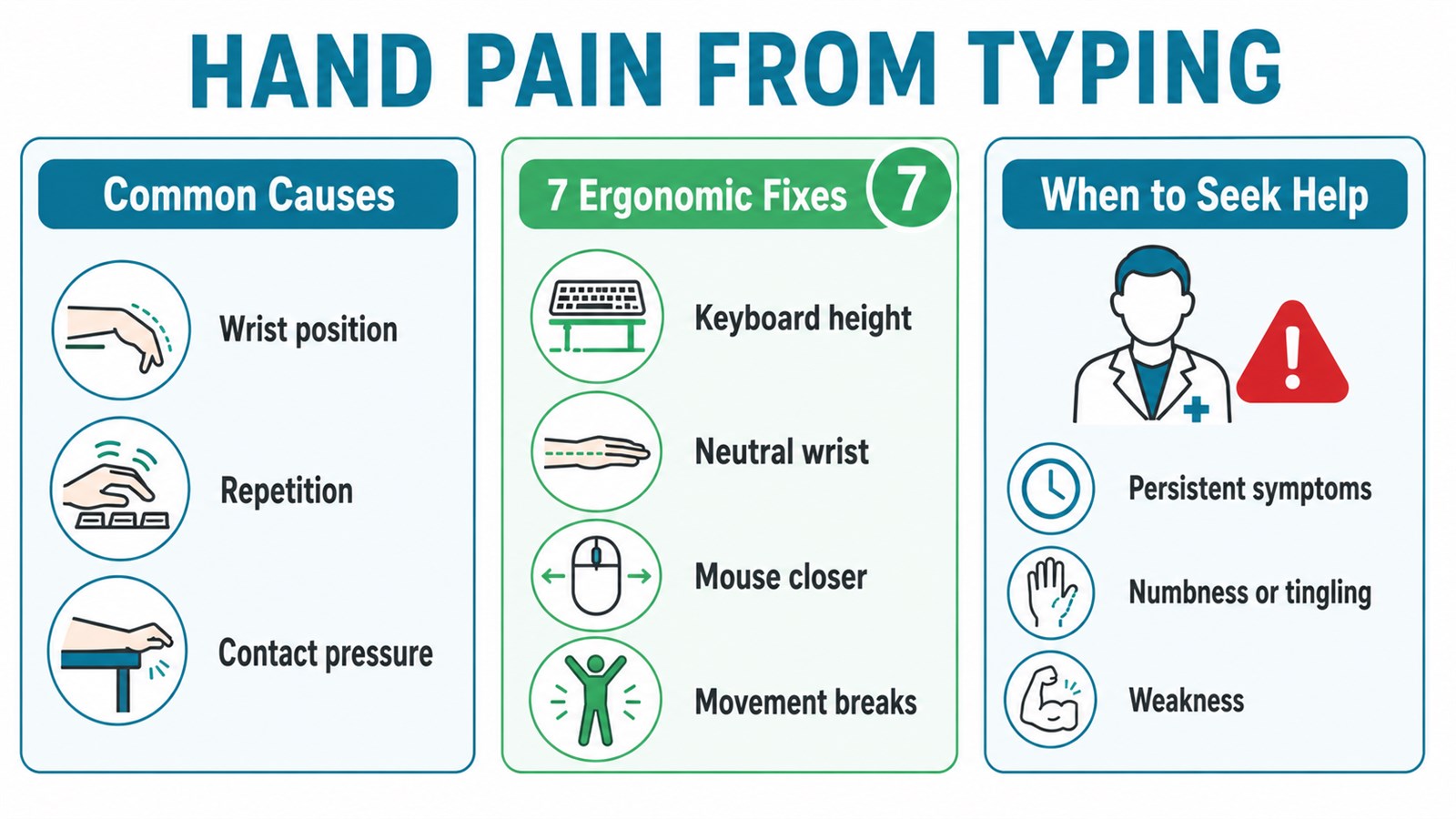
Typing combines repeated finger movement with long periods of holding the hands in one position. Discomfort is more likely when the keyboard is too high, the wrists bend up or sideways, the forearms press against a hard desk edge, or the mouse makes you reach and grip for hours.
Common patterns include:
- Aching or fatigue: often appears after long, uninterrupted sessions or excessive key and mouse force.
- Stiffness: may be noticeable after the hands stay still or repeat the same motion for a long time.
- Tingling or numbness: can suggest nerve irritation and deserves attention if it persists or returns often.
- Burning or sharp pain: should not be pushed through, especially if it worsens with activity.
- Swelling or tenderness: may point to an injury or inflamed tissue and may need clinical assessment.
Where the Symptoms Appear Matters
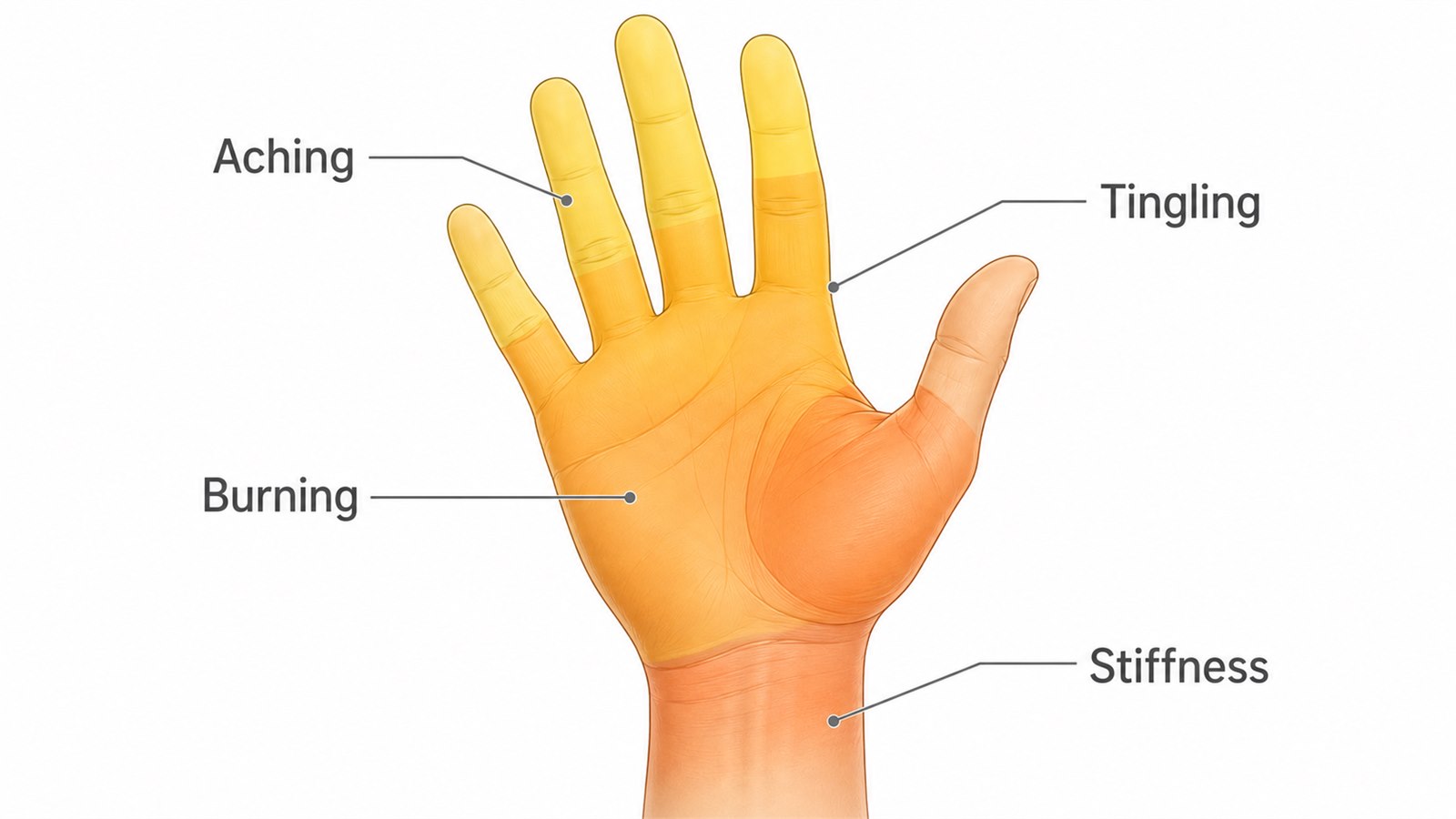
The location and type of discomfort can help a clinician narrow down the cause. Tingling in the thumb, index, middle, and part of the ring finger can occur when the median nerve is irritated, as in carpal tunnel syndrome. Symptoms affecting the little finger and the other side of the ring finger can follow a different nerve pathway. Pain around a thumb joint, meanwhile, may have a different cause from numbness in the fingertips.
These patterns overlap, so a diagram or online checklist cannot diagnose the problem. Note which fingers are affected, what the sensation feels like, when it begins, and which activities make it better or worse. That information is useful if you need professional care.
Does Typing Cause Carpal Tunnel Syndrome?
Not necessarily. The American Academy of Orthopaedic Surgeons notes that there is no strong evidence that heavy keyboard use by itself causes carpal tunnel syndrome. However, repeated activity and sustained or awkward wrist positions may aggravate symptoms in someone who is already susceptible.
That distinction matters: ergonomics can remove avoidable stress, but it cannot confirm the cause of numbness or replace medical care. For a deeper look at wrist-specific symptoms and setup changes, read our guide to why your wrists hurt when typing.
7 Ergonomic Fixes for Hand Pain From Typing
1. Adjust the keyboard height

Set the keyboard around elbow height so your shoulders can relax and your elbows stay comfortably near your sides. A bend close to 90 degrees is a useful starting point, but comfort and a neutral posture matter more than hitting an exact angle.
If the desk is too high, raise the chair and use a footrest, or add a keyboard tray. If it is too low, avoid reaching down with rounded shoulders. The keyboard should come to you—not force you to hold your arms up.
2. Keep the wrists neutral
Aim for a straight line from the forearm through the hand while typing. Avoid keeping the wrists bent upward, dropped downward, or angled toward the little finger. Lowering or flattening a keyboard that has tall rear feet can help.
A palm support may be useful during pauses, but do not plant the wrists on it and pivot while typing. Let the hands move lightly across the keyboard instead.
3. Remove pressure from hard desk edges
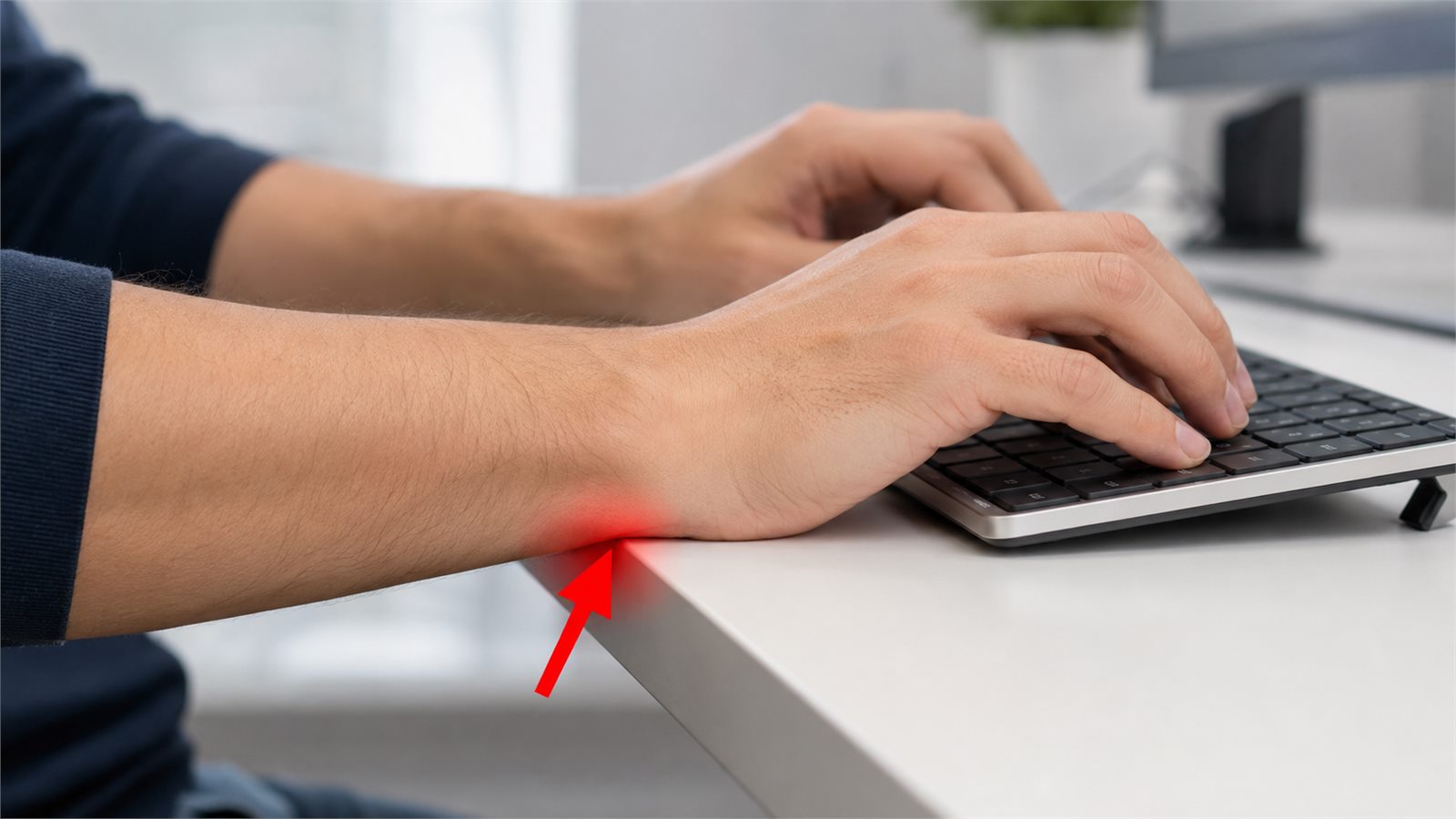
Contact pressure is easy to overlook. Pressing the wrist or forearm against a sharp desk edge can irritate soft tissue and add to discomfort. Move the keyboard closer, soften the edge, and support more of the forearm without pinning the wrist in place.
4. Bring the mouse closer and choose a comfortable fit
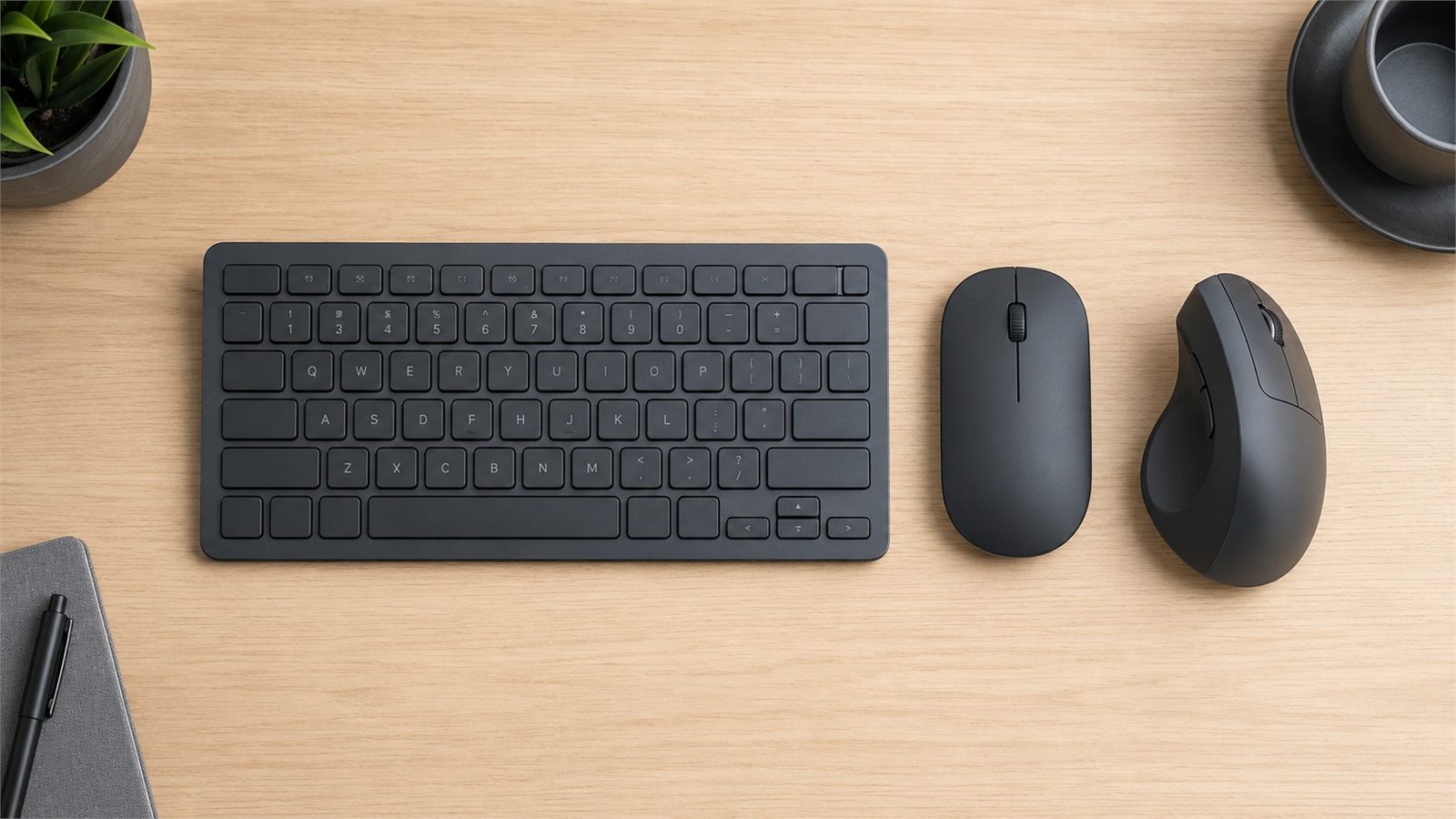
Keep the mouse beside the keyboard so you do not repeatedly reach forward or outward. Move it with the arm rather than making every movement from the wrist, and loosen your grip between clicks.
A vertical mouse can reduce forearm rotation for some people, but it is not automatically better for everyone. Shape, size, button placement, and your individual symptoms all matter. Compare the tradeoffs in our ergonomic mouse versus regular mouse guide.
5. Use less force
Many people strike keys and hold the mouse harder than necessary, especially when working quickly or under stress. Try typing with the minimum force needed to register each key. Keep the thumb relaxed, avoid squeezing the mouse, and increase pointer speed slightly if large movements are uncomfortable.
Keyboard shortcuts, text expansion, and voice input can also reduce total keystrokes during repetitive tasks.
6. Use short movement breaks and vary tasks
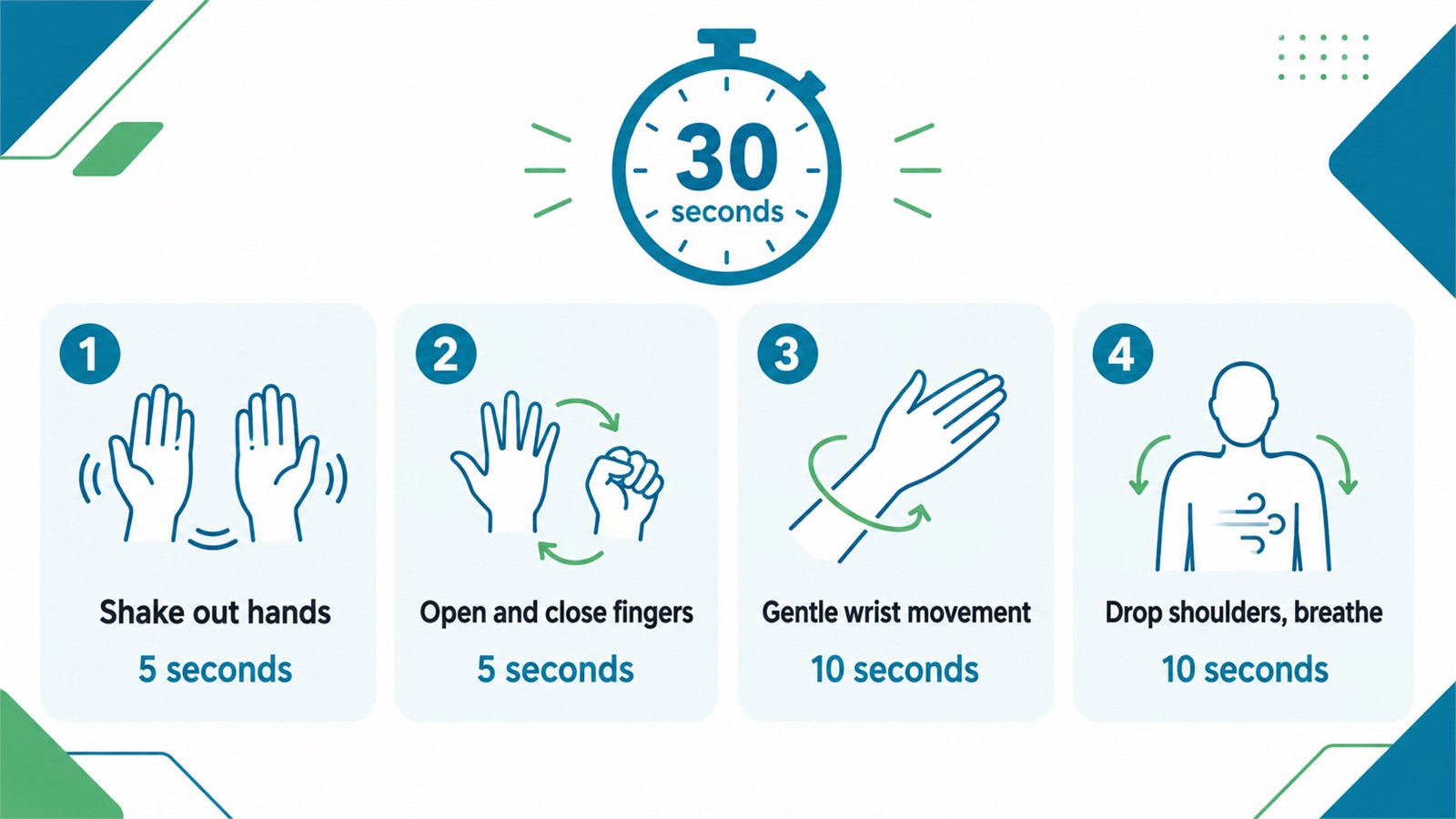
Long, motionless sessions are harder on the body than varied work. Every 20 to 30 minutes, briefly let go of the mouse, drop your hands to your sides, and change position. Alternate typing with reading, calls, or other tasks when possible.
A simple 30-second reset can be:
- Gently shake out the hands for 5 seconds.
- Slowly open and close the fingers for 5 seconds.
- Move the wrists through a small, comfortable range for 10 seconds.
- Drop the shoulders and take an easy breath for 10 seconds.
Do not force a stretch or pull on painful fingers. Stop if movement increases tingling, numbness, or pain. For more whole-body options, see our desk stretches you can do without standing up.
7. Review the whole workstation
Hand posture depends on more than the keyboard. A monitor that is too far away can make you lean forward, while a chair without support can change shoulder and arm position. Check screen distance, chair height, foot support, keyboard placement, and mouse reach together with our ergonomic desk setup checklist.
When to Seek Medical Care
Arrange a medical assessment if symptoms persist, keep returning, worsen, disturb sleep, or interfere with normal work and daily activities. Seek advice promptly if you notice weakness, loss of coordination, frequent dropping of objects, visible swelling or deformity, or symptoms following an injury.
Sudden hand numbness can be an emergency when it starts abruptly or occurs with weakness or paralysis, confusion, difficulty speaking, dizziness, or a severe sudden headache. In that situation, seek emergency care immediately.
Frequently Asked Questions
Can a better keyboard stop hand pain?
A suitable keyboard may reduce awkward wrist angles or excessive reach, but no keyboard can diagnose or cure every cause of hand pain. Adjust your existing setup first, then consider a different shape or switch type if a specific problem remains.
Should I use a wrist rest while typing?
Use a soft palm support mainly during pauses. Continuous pressure directly under the wrist while typing can create contact stress. Keep the hands floating lightly and the wrists aligned with the forearms.
Is a vertical mouse better for hand pain?
It can feel more comfortable for some users because it changes forearm rotation, but fit and technique are just as important. Introduce a new mouse gradually and stop using it if symptoms worsen.
Should I stretch a painful hand?
Gentle, pain-free movement may help after a static work period. Aggressive stretching is not appropriate for every condition. Avoid forcing the joint or stretching into numbness, tingling, or sharp pain.
The Bottom Line
Hand pain from typing is a signal to change something, not a challenge to work through. Start with keyboard height, neutral wrists, less contact pressure, an easy mouse reach, a lighter touch, and frequent position changes. If symptoms persist or include numbness, weakness, swelling, or loss of function, get professional medical advice rather than relying on workstation changes alone.